Online multiplayer games demand rock‑solid internet performance. Even if you own high‑end gaming hardware, high ping, sudden jitter, random disconnections and ISP‑caused throttling can completely ruin competitive matches. Many gamers turn to VPN services to solve network troubles, yet lots of players pick the wrong product and end up with worse lag instead.
A high‑quality gaming VPN does not magically erase all latency, but it can optimize routing, bypass ISP bandwidth throttling, resist DDoS interference and keep your connection steady during peak‑hour gaming. This practical guide walks you through exactly what features to prioritize, common mistakes to avoid, and how to test whether a VPN truly fits your gaming habits.

Understand What A Gaming VPN Can (And Cannot) Do
Before shopping around, you need realistic expectations. No VPN can turn terrible home internet into perfect gaming connectivity. Every VPN adds minor extra routing overhead, which may slightly raise your ping under poor server selection.
Where a good VPN shines: bypass ISP gaming‑traffic throttling, offer better network routes to overseas game servers, provide DDoS protection for ranked matches, and reduce sharp jitter spikes during evening network congestion. It cannot fix low‑speed home broadband, hardware overheating, or game‑server‑side lag.
Many casual gamers fall for marketing hype that promises “zero ping”. Always keep this in mind: stable, consistent latency matters far more than ultra‑low single‑value ping. Smooth gameplay comes from low jitter and zero packet loss, not just a fancy ping number on screen.
Key Features To Look For In A Gaming‑Friendly VPN
- Modern High‑Speed Network Protocol
Protocol directly decides your in‑game latency. WireGuard‑based protocols are the gold standard for gaming today. They bring lightweight encryption, fast handshakes and minimal performance loss. Older solutions such as traditional OpenVPN often create noticeable lag during fast‑paced multiplayer fights.
When comparing services, confirm that WireGuard or optimized variants are available for your PC or console setup. UDP mode should be enabled for gaming traffic whenever possible.
2. Well‑Distributed Server Network & Low‑Load Nodes
Server location is everything. Do not simply pick the geographically closest VPN server. You should prioritize VPN servers near your target game data centers. If you frequently play US‑based multiplayer titles, pick VPN nodes close to US game server hubs, not just your local city.
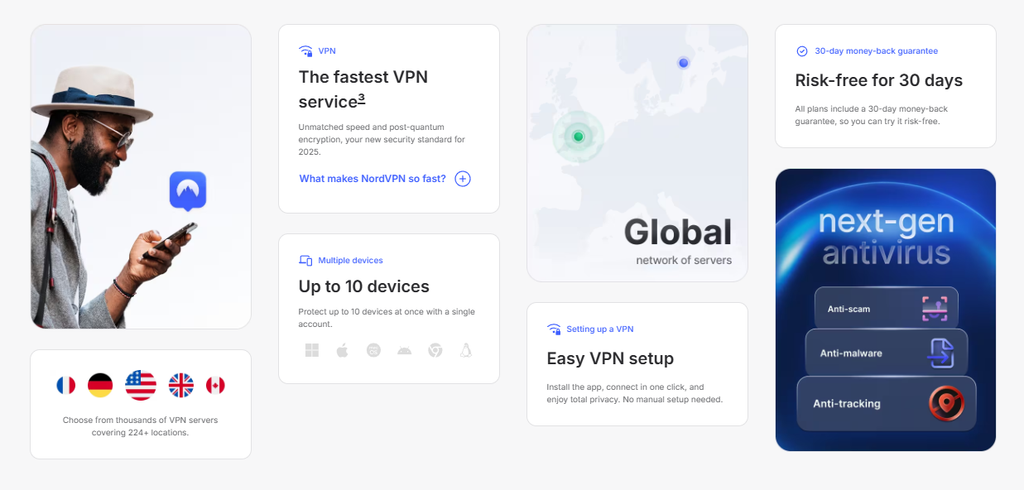
Trusted gaming VPN apps display real‑time server load and ping data. Avoid servers with load above 70 % during peak gaming hours, as overcrowded nodes trigger jitter and sudden disconnects. Wide global server coverage also gives you more options when you want to access region‑locked game servers.
3. Split Tunneling & Kill Switch
Split tunneling is a must‑have feature for serious gamers. It lets you route only your game traffic through the VPN tunnel, while web browsers, streaming software and other apps keep running on your original internet connection. This cuts unnecessary VPN overhead and saves bandwidth resources.
Kill switch protects you from exposing your real IP when the VPN tunnel drops unexpectedly. If your VPN connection fails mid‑match, it instantly blocks all internet traffic to prevent IP leaks and potential DDoS attacks.
4. Compatibility With Your Devices
PC gamers have the widest range of VPN app choices. For console players on PlayStation or Xbox, native VPN apps are rarely supported. You will need a VPN service supporting router installation or Smart DNS function to cover your game consoles. Double‑check device compatibility before purchasing a subscription.
Practical Testing Steps Before Long‑Term Subscription
Most reputable VPN providers offer a 30‑day money‑back guarantee. Take full advantage of this window to run real‑game tests instead of trusting advertisement data.
First, record your baseline ping, jitter and packet loss without VPN. Then connect to different candidate servers, launch your commonly‑played multiplayer games, and observe performance over multiple matches, especially during evening peak hours.
If ping rises sharply, jitter becomes unstable, or random rubber‑banding appears, switch to another server or try an alternative protocol. If performance stays worse than your original connection, this VPN is not suitable for your network environment.
Common Gaming VPN Mistakes You Should Avoid
Many gamers waste money because of simple wrong operations. First, do not blindly use free VPN services for competitive gaming. Free servers are usually heavily overloaded, bringing high jitter, frequent disconnections and potential privacy risks.
Second, do not always stick to one fixed VPN server. Network routing conditions change day by day. Re‑test different nodes regularly if you start suffering lag. Third, a VPN cannot replace poor‑quality Wi‑Fi. Whenever possible, use wired Ethernet cables for gaming; VPN cannot fully offset wireless‑signal interference.
Final Thoughts
Choosing a proper gaming VPN is not about chasing the lowest advertised ping number. It focuses on stable routing, modern fast protocols, reasonable server selection and practical functions such as split tunneling.
Test thoroughly within the refund period, and judge performance based on your actual gaming experience. With careful selection, a qualified VPN will effectively reduce throttling interference, stabilize your connection and greatly improve your online multiplayer gaming experience.